What's This?
Welcome to the latest version of Fruity (Lemon 2.3.0).
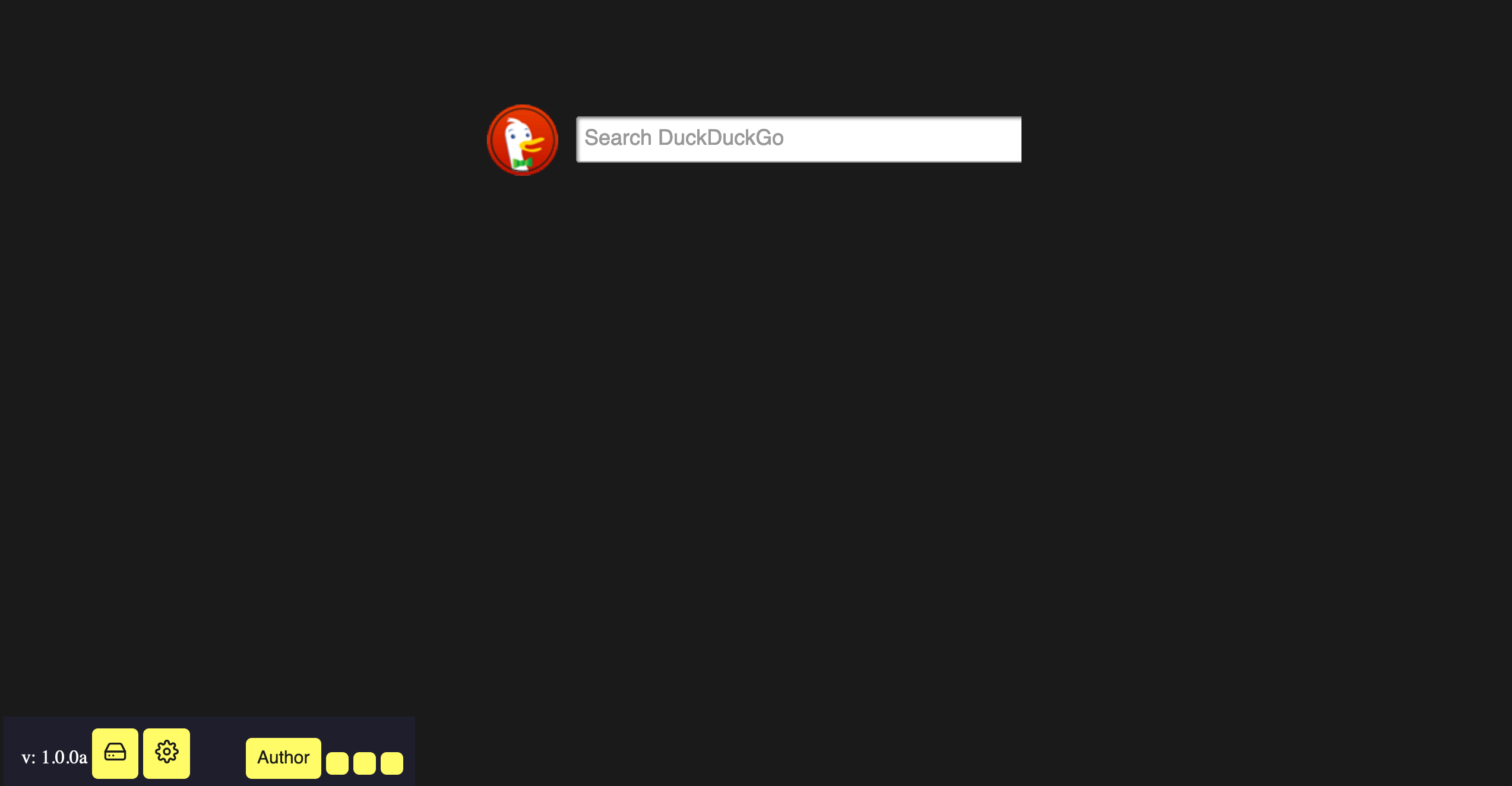
This new version includes a new feature: a fast action bar.
This bar can be found on the home page in the bottom left.
- - -
Setting up your favorite sites
Before you start using this feature, let's go over it briefly.
There is 1 built in link (Author) and 3 customizable favorites. To start customizing, click on the little gear.
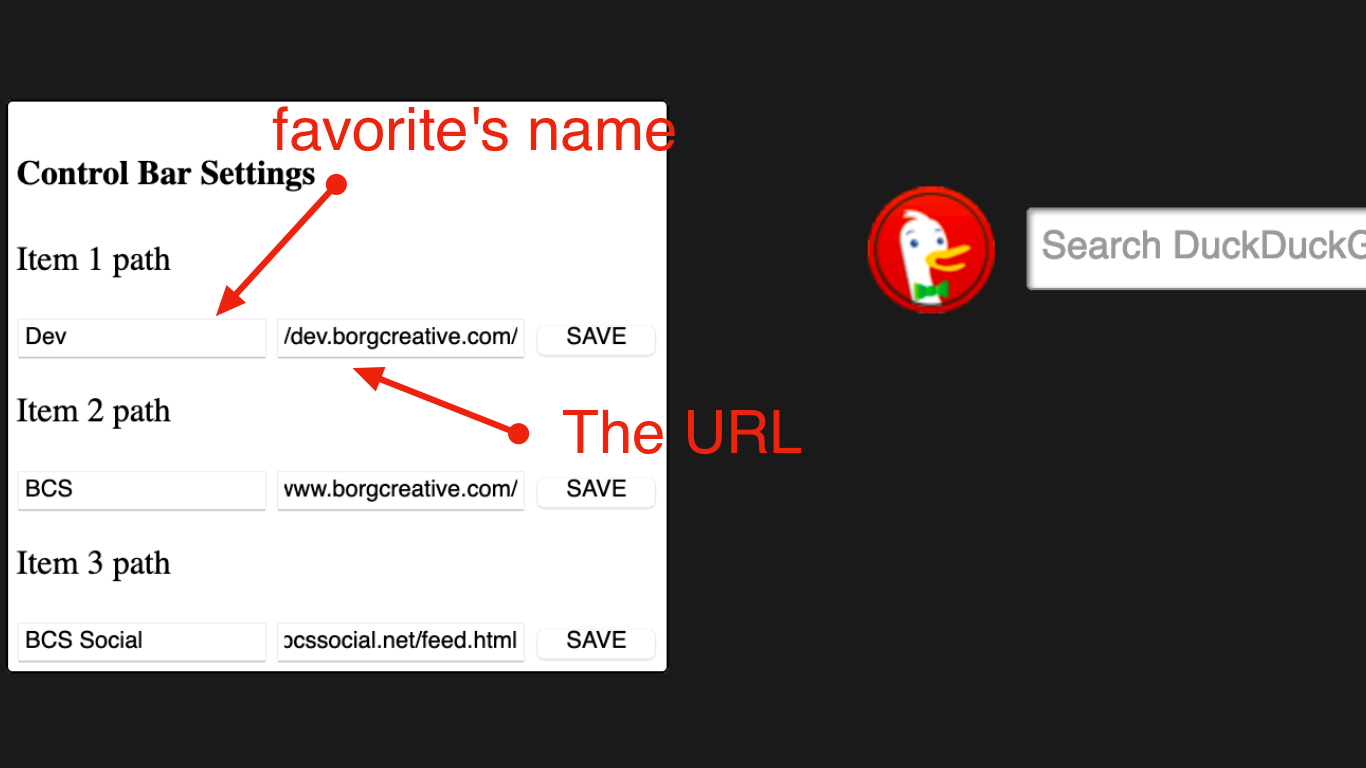
After selecting this gear, a menu like the one above will appear.
Here is where you can edit your favorites' names and links.
After you have saved your settings, select the gear again to dismiss the editing menu.
- - -
Start up
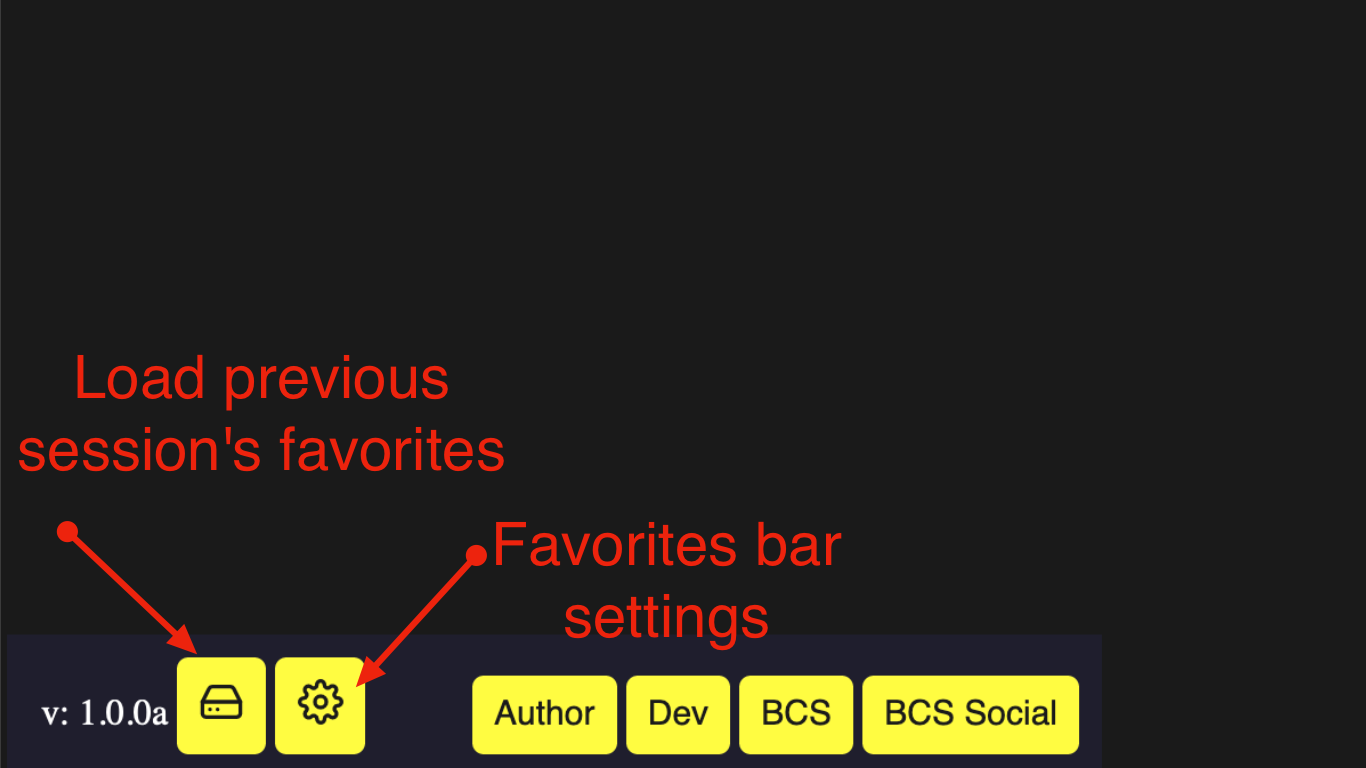
To make new favorites, select the gear and follow the instructions from the previous section.
If the previous session's fast action settings do not load automatically, select the little hard drive in the corner.